
In the previous post, we provided you with a 5-step-tutorial on how to sign up as a SAĜO’s Service User. Today’s, tutorials on how you would sign up as SAĜO’s Service Provider!

Are you an expert in a certain field, ready and proficient to provide services based on your expertise? If yes, then, SAĜO is the perfect community platform you just have to be on as a Service Provider! Read until the end to find out this easy step-by-step guide on how to sign up as a SAĜO Service Provider!
How-to sign up as SAĜO’s Service Provider?
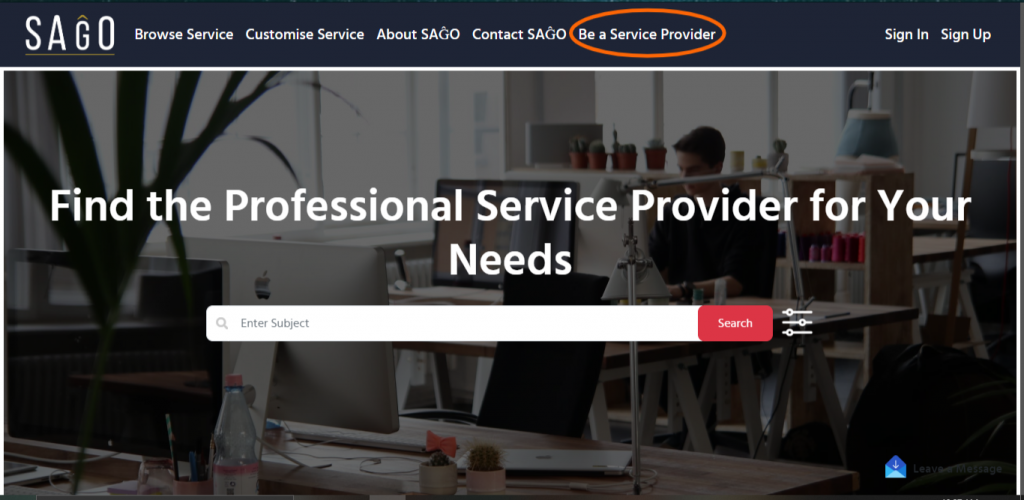
- Log on to sagomente.com and click ‘Join Us NOW’

2. Click ‘Be A Service Provider’
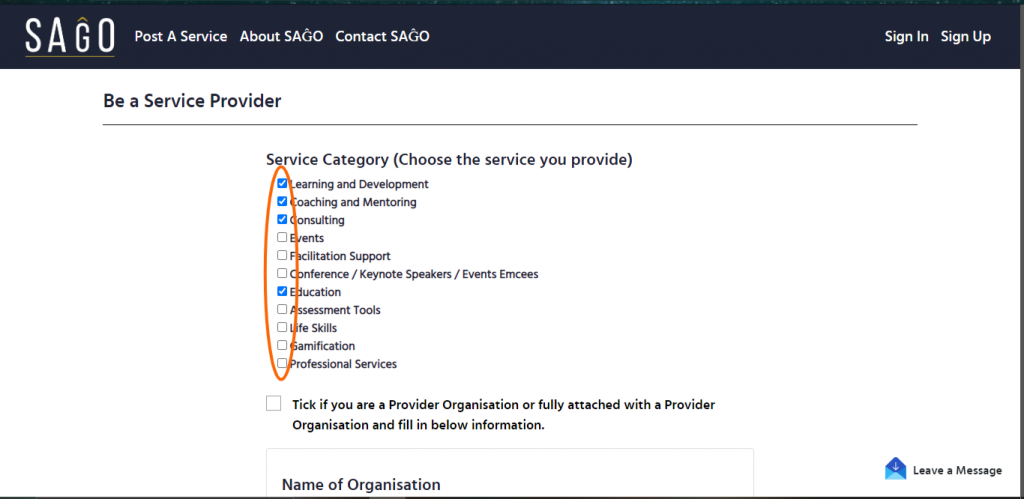
3. First thing first, tick(s) on the service category(s) that you specialized in.
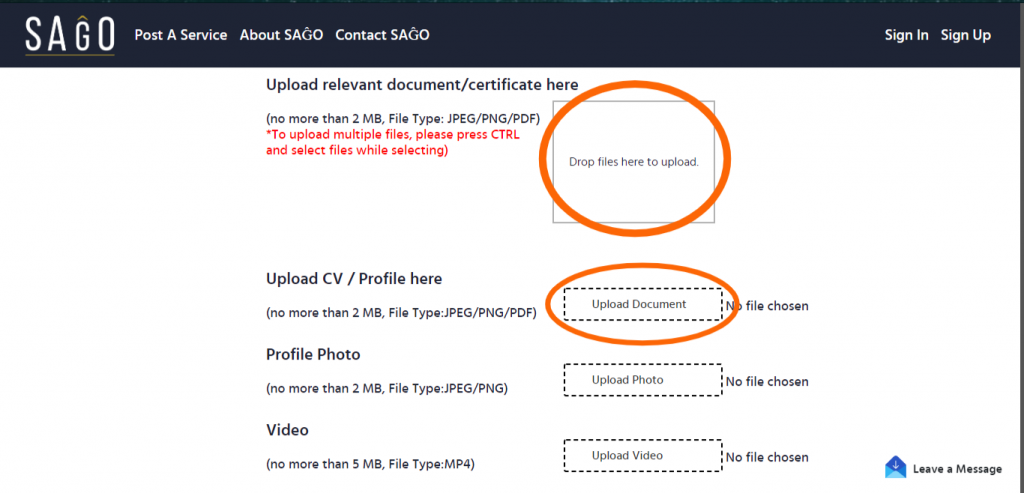
4. Aha! Don’t forget to upload relevant documents & certificates based on the service category(s) that you have ticked, your CV and profile! This is SUPER IMPORTANT as it is the pre-approval process of being part of the Service Provider community in SAĜO.
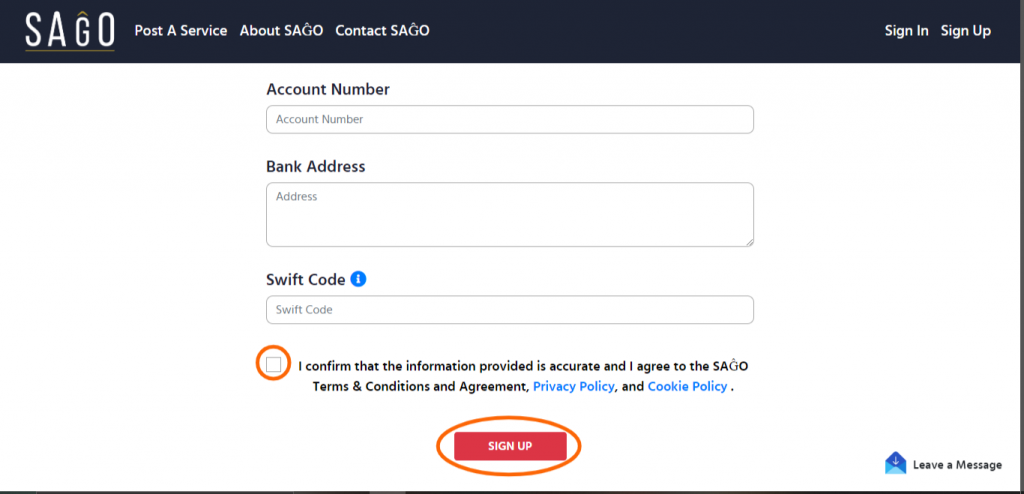
5. Don’t forget to tick on the Terms and Conditions and Agreement. Click the ‘Sign Up’ button!
6. Be sure to check on a confirmation email from SAĜO to notify that your registration has been received.
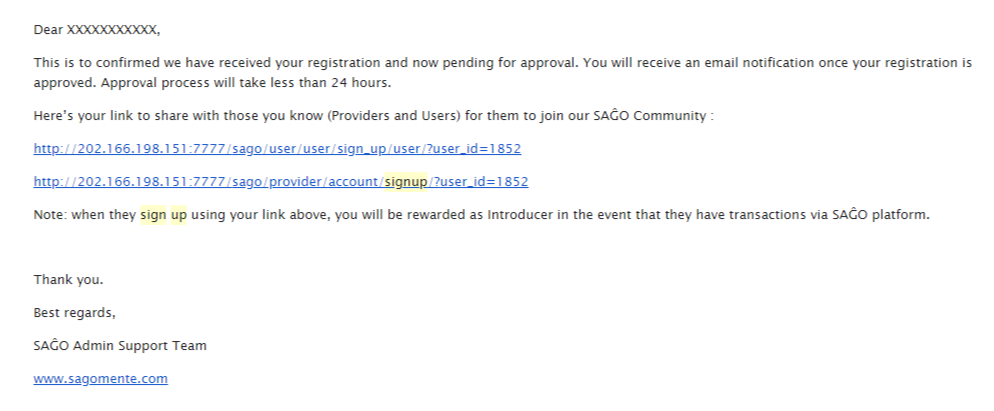
Approval process will take less than 24 hours.
7. Don’t forget to check your inbox for Sign-up Approval from SAGO. (Super important!)
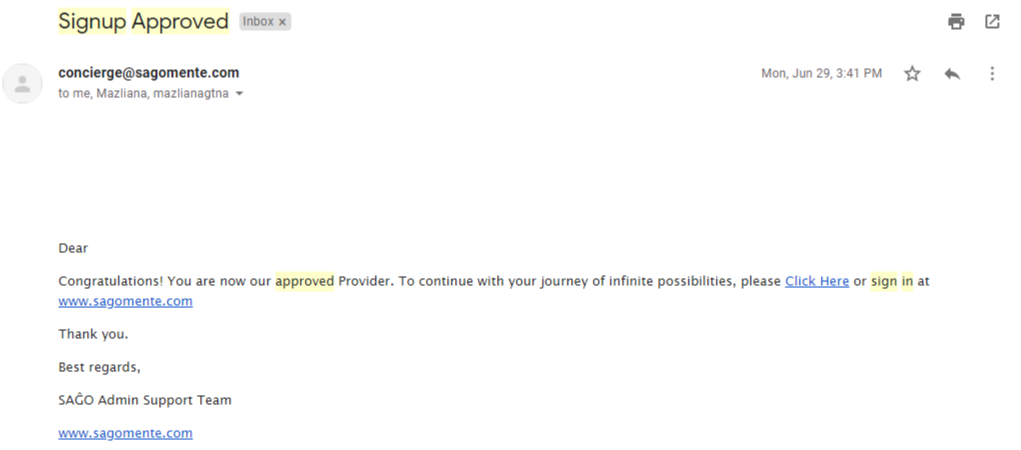
Once your registration has been approved, you are officially a SAĜO Service Provider; and we warmly welcome you to our SAĜO community, and invite you to start listing your services on our SAĜO platform!
Share this good news with other Service Providers you know and get rewarded as an Introducer! You can find the referral links in the approval email or under My Incentive when you log in to SAĜO. With these simple steps, it shouldn’t take too much of your time to sign up and start posting your services.
Go on ahead and click here to sign up!
*T&C Apply